
Approving Employee Overtime
< 1 min read
Using MyShift settings, it is possible to add an overtime approval zone to each shift.
For example, if you have a shift that ends at 17:00, you may have employees gradually going home and clocking out up to 17:15, but if they clock out between 17:15 and, say, 19:00, you want to know about it, as this may be approved overtime.
Setting up OT Approval is the answer as below and this can be set in the employee’s personal My shift setup, as a group or global setup. Or, if setting for an individual within their personnel record, select the Shift tab, followed by Add New Zone.
To access this setup navigate to Settings / Myshift / Edit / Add New Zone
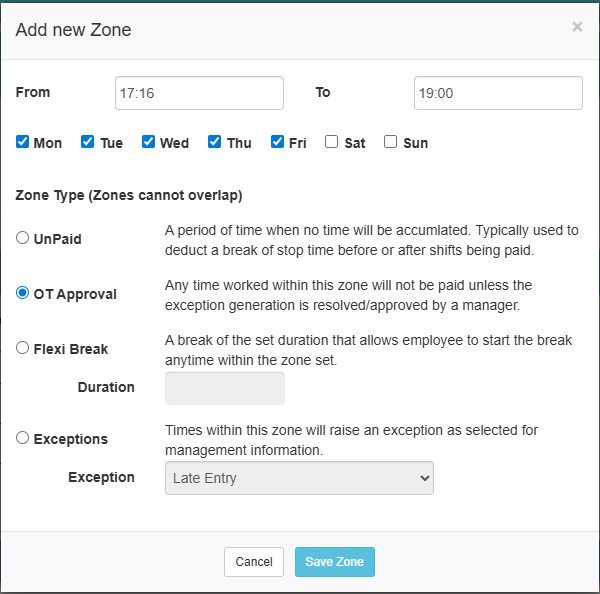
Setting a zone for this time will highlight any clocking times in this zone to the operator as an exception of overtime approval to be found on the Manage Exceptions page, and if the operator resolves that exception, it is deemed as accepted as authorized and the hours worked will be calculated and added to the employee’s totals. If the operator does not do this, then no hours will be calculated for this extra time.


