
Logging In to Your Cloud Attendance System
< 1 min read
Table of Contents
Introduction & login to Freetime Pro Cloud Time Attendance System #
Introduction & Login to Freetime Pro #
Introduction
Welcome to the Allday Time Systems Introduction & Login to Freetime Pro Guide
This document will cover:
- Accessing Freetime Pro web via URL
- Logging in with valid credentials
- Resetting forgotten passwords and setting new passwords
Finding your web portal #
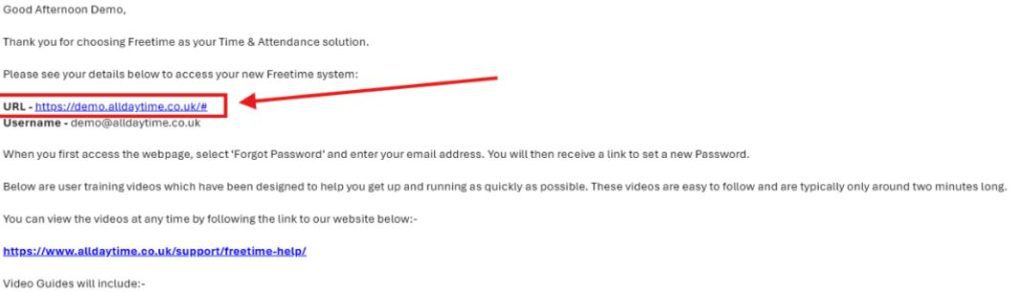
To access your company’s designated Freetime web portal, navigate to your company email address or the email address used to contact Allday Time support and select the URL link you were given in the Freetime Welcome/install email.
If you cannot locate this email in your email address, please contact support@alldaytime.co.uk
Logging in to Freetime #
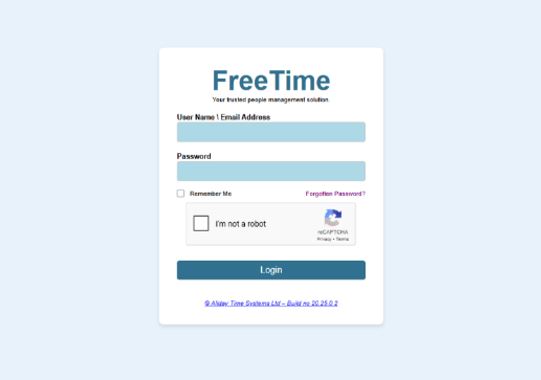
Once on the Freetime login page, enter the email address given to you in your welcome email and enter your password.
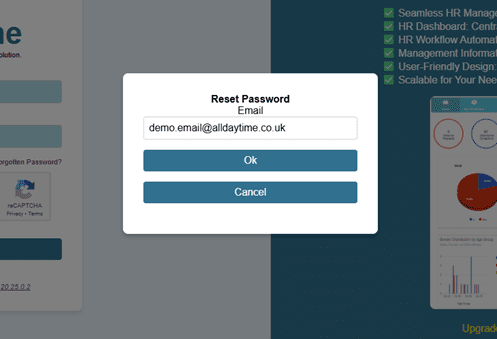
If you have not set a password, select ’Forgot password’ and enter your email address.
You will then receive an email prompting you to set a new password.